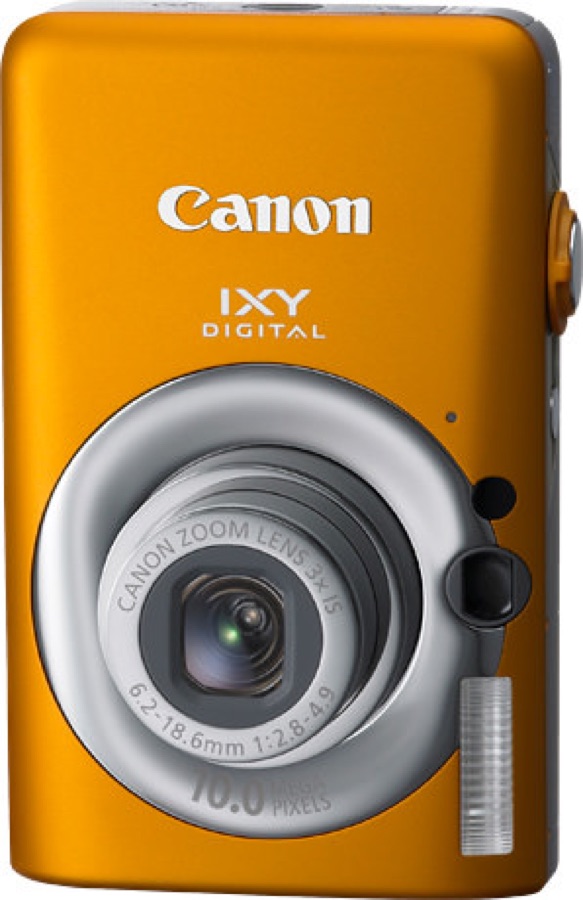
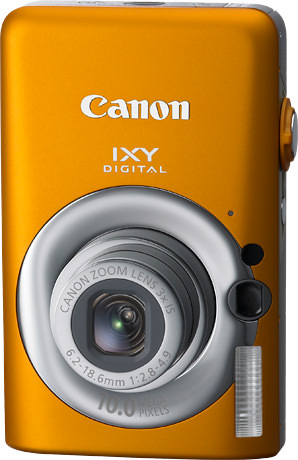
Owner snapshot: Canon PowerShot SD1200 IS DIGITAL ELPH is worth judging as its own Canon pocket compact body, not just as a generic old compact.
Canon SD1200 IS DIGITAL ELPH is a 2009 digital camera built around 10 MP effective and 1/2.3-inch type CCD. Its listed lens is 35mm film equivalent: 35 (W); 35 (W) - 105 (T) mm f/2.8. That gives you a concrete reason to consider this model instead of treating it as any generic old compact. Before buying, confirm the NB-6L, charger, and SDHC / SD / MMC access, then check the lens movement, screen, and controls on the actual used body.
Specs
Release year
2009
Megapixels
10 MP effective
Sensor
1/2.3-inch type CCD
Lens
35mm film equivalent: 35 (W); 35 (W) - 105 (T) mm f/2.8
Memory card
SDHC / SD / MMC
Max memory
Up to 32GB (SDHC)
Battery
NB-6L
Size
88.5 × 54.8 × 21.8 mm
Weight
Approx. 120 g
Canon PowerShot SD1200 IS DIGITAL ELPH FAQ
What battery does the Canon PowerShot SD1200 IS DIGITAL ELPH use?
Canon PowerShot SD1200 IS DIGITAL ELPH uses NB-6L. When buying used, confirm the seller includes a working charger or plan to add one. See the battery guide for charger and spare-battery checks.
What memory card does the Canon PowerShot SD1200 IS DIGITAL ELPH take?
Canon PowerShot SD1200 IS DIGITAL ELPH uses SDHC / SD / MMC. The current buyer-facing maximum is Up to 32GB (SDHC); for older or unusual formats, stay within that limit and avoid oversized cards. See the memory card guide before buying cards for older cameras.
Is the Canon PowerShot SD1200 IS DIGITAL ELPH worth buying used?
How do you transfer photos from the Canon PowerShot SD1200 IS DIGITAL ELPH?
The simplest transfer path is usually to remove the memory card and use a compatible card reader. If the camera uses internal storage or a rare card format, confirm the cable or reader before buying. The card reader guide and photo transfer guide cover the common options.
Canon PowerShot SD1200 IS DIGITAL ELPH is worth judging as its own Canon pocket compact body, not just as a generic old compact. Start with condition, the exact battery/card setup, and whether its look fits what you want to shoot.
What owners like
Canon PowerShot SD1200 IS DIGITAL ELPH works best when you want small-bag snapshots, flash photos, mirror selfies, and a clean pocket-camera look rather than a technically perfect modern camera; its 1/2.3-inch type CCD and 35mm film equivalent: 35 (W); 35 (W) – 105 (T) mm f/2.8 are the main character of the look.
Common complaints
Check the lens movement, flash, screen, buttons, and card door calmly before relying on it; older compact bodies can need a little patience without being a bad buy.
What to compare
Compare it with Canon PowerShot SD780 IS DIGITAL ELPH, Canon PowerShot SD940 IS DIGITAL ELPH, Canon IXY 620F, Canon PowerShot ELPH 115 IS to decide whether you want this exact body, a cheaper nearby compact, or a slightly more capable alternative.